
Install help · RGB+W system
Installing RGB+W lights
Colour plus a dedicated white channel. Covers Axion RGB+W rock lights, Rhino 3.0 RGB+W whips, RGB+W strip.
Your install in 5 steps Tap a step to jump to it
Not RGB+W? RGB RhinoLink Switched 12V
01Prep
Read this before you wire.
For RGB+W lights
- Mount Axion rock lights on solid metal only. On the highest brightness they get hot during long use.
- Axion lights daisy-chain: controller to the first light, then each light's output to the next light's input.
- Add a jumper wire (supplied in multi-light kits) between the 3rd and 4th light, and at the end of every row. Run its red and black to your switch, never straight to the battery.
- Where you jump power mid-chain, keep the yellow data wire unbroken from one light to the next. Snip and cap the old red and black.
- RGB and RGB+W lights cannot share the standard Bluetooth controller. To run RGB lights and Axion rock lights together, in sync, use RhinoLink: see the RhinoLink guide.
6 rules for every install
- Wire the controller through a switchWired straight to the battery it draws power all the time and drains it.
- Keep the controller away from heatNot near the engine or exhaust. The housing survives the heat; the electronics inside do not.
- Never plug or unplug with the power onThe surge can damage the lights. That counts as install damage and is not covered.
- 12 volts onlyMore than 12V damages the lights and voids the warranty.
- Test before you secure anythingLay everything out, power it up and check it all works before you run and tie down wire.
- No bare wires touchingCheck every connection before power goes on, and use waterproof connections.
02App settings
Set the controller for RGB+W.
Your Bluetooth controller runs on the LED Chord app. If the colours are wrong or only some LEDs light, these settings are almost always the reason.
1 · Get the app and connect


How to use the app
2 · Enter these settings
- Colour order
- RGB
- LED driver
- TM1814
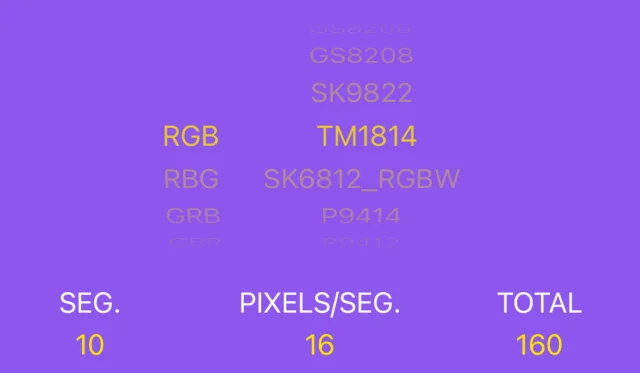
Correct RGB+W settings. Example: 10 segments × 16 pixels = 160.
3 · Segments
Set segments by the product with the most LEDs on the controller. Pixels per segment is 16. The app works out the total. Example: 4 ft whips and rock lights = 10 segments.
| Longest product | Segments | Pixels / seg. |
|---|---|---|
| Rock lights only | 1 | 16 |
| 2 ft whips | 5 | 16 |
| 3 ft whips | 8 | 16 |
| 4 ft whips | 10 | 16 |
03Install guides
Guides for your RGB+W lights.
Download the PDF, watch the video, or both. PDFs open in a new tab, so you can keep this page.

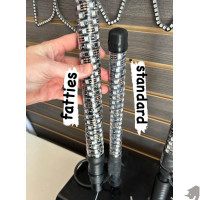
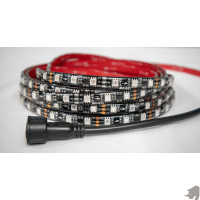
Wiring & switches


04Add-ons
Turn signals, switches and more.
Connex turn, brake and reverse is not available for RGB+W yet.
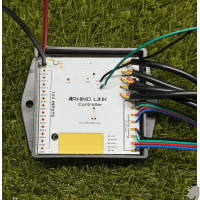
RhinoLink controller
Runs Axion rock lights alongside your RGB lights, in sync. Not the 3.0 whips.
- RhinoLink controller install guide
- PDF coming soon
05Help
Stuck? We built it.
Check troubleshooting first: most problems are a loose connection or a wrong setting.
Still stuck? Call 704-270-2695. If a light has failed, start a repair.